V2 Mobile UI
A Flarum extension. Adds a bottom tab on mobile.
Fork by rafaucau Github
The extension Work for Flarum2.0+
Languages: English, Simplified Chinese, Traditional Chinese
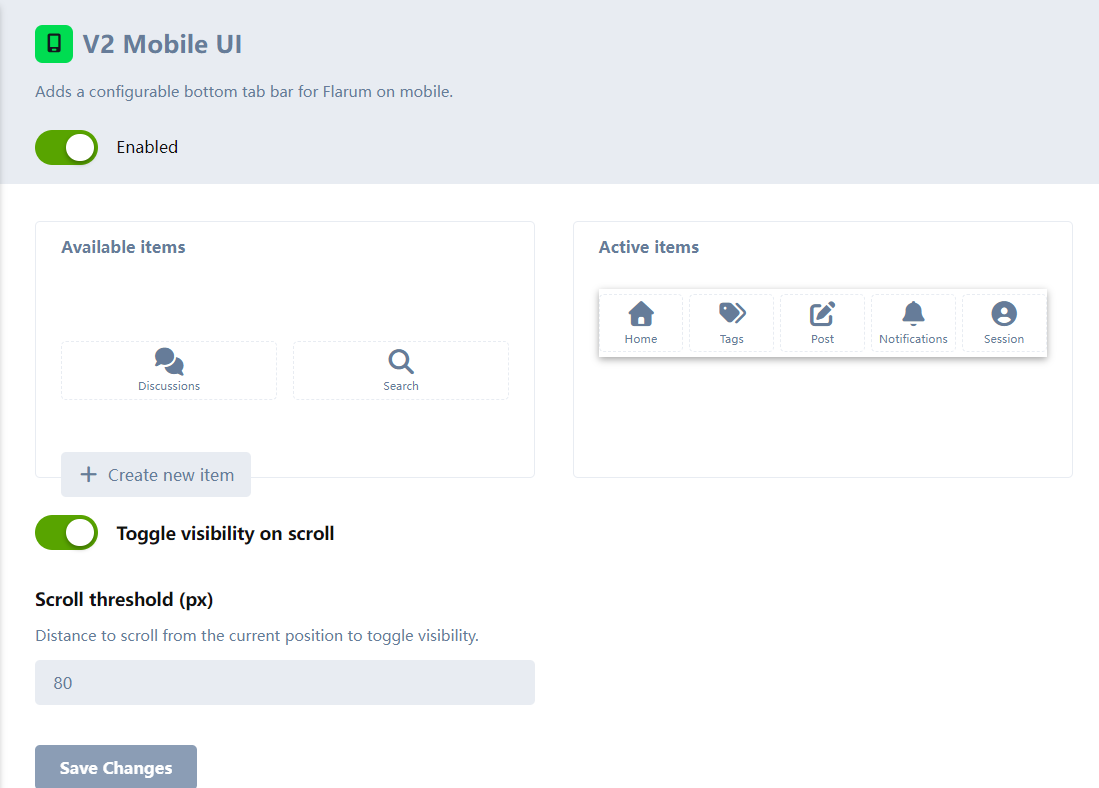
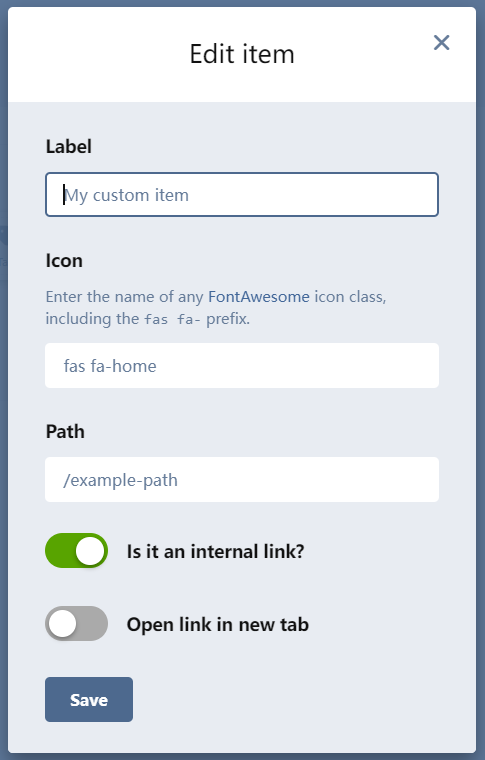
In the administrator panel, you can move the buttons, add or remove them.
这是Fork别人的插件,不是本人创作了,我只是把按钮变成自己喜欢的,而且增加了中文的语言。
本插件仅支持 Flarum 2.0+版本
语言:英文、简体中文、繁体中文
在管理员面板,可以移动按钮的位置,增加或减少
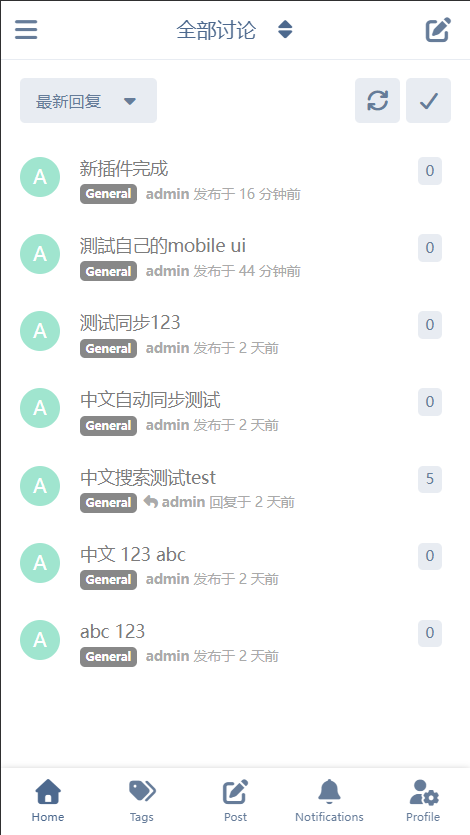
首页界面 / Home page
管理员面板设置界面 / In the administrator panel
安装 / Installation
Install with composer:
composer require gitzaai/v2mobileui
更新 / Updating
composer update gitzaai/v2mobileui
php flarum migrate
php flarum cache:clear
更多用法 / Extending
[!IMPORTANT]
These instructions are for Flarum 2.0.
For Flarum 1.x documentation, please refer to:
Flarum 1.x Guide
You can add, modify, and delete items in the mobile tab using your own extension.
Read: https://docs.flarum.org/2.x/extend/extending-extensions
- Install
gitzaai/v2mobileui as your extension’s composer dependency or add it as an optional dependency in your composer.json.
- In the
tsconfig.json file add "ext:gitzaai/v2mobileui/*": ["../vendor/gitzaai/v2mobileui/js/dist-typings/*"] to the compilerOptions.paths object.
- You can now import and use the registry classes to modify the mobile tab.
Example
Create extendMobile.ts in your extension’s js/common directory:
import MobileTabItemsRegistry from "ext:gitzaai/v2mobileui/common/MobileTabItemsRegistry";
import app from "flarum/common/app";
import { extend } from "flarum/common/extend";
export default () => {
extend(MobileTabItemsRegistry.prototype, "items", (items) => {
// Add a simple link item
items.add("following", {
icon: "fas fa-star",
label: app.translator.trans("my-ext.forum.index.following_label"),
href: () => app.route("following"),
canView: () => !!app.session.user,
source: "extension",
});
// Add an item that we plan to turn into an interactive component on the forum frontend
items.add("my-interactive-item", {
icon: "fas fa-rocket",
label: app.translator.trans("my-ext.forum.my_interactive_item_label"),
source: "extension",
});
});
};
Use this file in both admin and forum. Example for the admin side:
import app from "flarum/admin/app";
import extendMobileTab from "../common/extendMobileTab";
app.initializers.add("my-ext/mobile-tab-example", () => {
extendMobileTab();
// ... other initializers
});
To make an item interactive on the forum, assign a component using the forumComponent property.
[!NOTE]
Interactive components should be registered in MobileTabItemsRegistryForum because they import from flarum/forum/*.
Registering them in the common registry would break the admin panel.
import MobileTabItemsRegistryForum from "ext:gitzaai/v2mobileui/forum/data/MobileTabItemsRegistryForum";
import { extend } from "flarum/common/extend";
import app from "flarum/forum/app";
import extendMobileTab from "../common/extendMobileTab";
import MyCustomTabItem from "./components/MyCustomTabItem";
app.initializers.add("my-ext/mobile-tab-example", () => {
extendMobileTab();
extend(MobileTabItemsRegistryForum.prototype, "items", (items) => {
// Get the item defined in common and enhance it for the forum
const myItem = items.get("my-interactive-item");
items.setContent("my-interactive-item", {
...myItem, // Keep icon, label, and other shared properties
forumComponent: MyCustomTabItem, // Add the forum-only interactive component
});
});
// ... other initializers
});
import MobileTabComponent from "ext:gitzaai/v2mobileui/common/components/MobileTabComponent";
import Button from "flarum/common/components/Button";
export default class MyCustomTabItem extends MobileTabComponent {
view() {
const { icon, label } = this.attrs.definition;
return (
<Button
className="Button MyCustomTabComponent"
icon={icon}
onclick={() => console.log("clicked")}
>
{label}
</Button>
);
}
}
Links